
Find your parts diagram
Sticker on the pump body (the part with the basket), not on the motor. Motor labels from Century, A.O. Smith or Regal won't match parts.
Label on the side of the tank near the base. Size is in sq ft, e.g. 420 sq ft = C4030 or CCP420.
Rating plate inside the front access panel. Note the BTU and gas type (NG or LP).
Molded into the body or printed on top. Robotic cleaners: on the power supply.
Still not sure? Call (818) 818-6559 and we'll find it for you.


Dolphin Skimmi 300 Solar Robotic Pool Skimmer | 9997003-US
Couldn't load pickup availability
Have a question about this part?
Goes with this part
Manuals & documents
- Dolphin Skimmi User Manual (8159930 REV. 03) PDF · 1.1 MB View PDF
CA P65 Warning: Cancer and reproductive harm. www.p65warnings.ca.gov
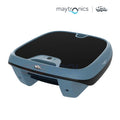

Maytronics · Dolphin Skimmi 300
Skimming, solved.
Powered by the sun.
The Dolphin Skimmi 300 is a cordless, solar-powered robotic pool skimmer. Place it in the water and it paddles the surface, collecting leaves, bugs, and other floating debris — then finds the sun to recharge.
The Surface

Robotic Surface Skimmer
A skimmer that lives in the water
This is not a floor-and-wall pool robot. The Skimmi 300 stays on the surface, roaming the whole pool instead of sitting at one skimmer mouth. There is no plumbing, no installation, and no power cable in the water. It works alongside your existing pump and filtration — and pairs naturally with a robotic cleaner that handles the floor.
- Two side paddle wheels and one front debris-collection wheel
- Collects leaves, bugs, pollen, and other floating debris
- For rectangular, round, free-form, and kidney pools up to 65 ft
- Cleans the water surface, including debris that gathers at the walls
Solar Power

Smart Solar Recharge
It charges itself in the sun
In Eco mode, Smart Solar Recharge takes breaks in sunny spots so the battery can refill. When the pack is full, energy from the solar panel can power the motors directly and skip those recharge stops. It charges during the day and holds energy for nighttime cleaning, so the surface is clearer for a morning swim.
- Lithium-ion battery, 2.45 Ah (27.5 W / 10.8 V)
- Includes the Maytronics SEC1241300C indoor charger for low-sun days
- Open the charging seal under the unit, plug in, then close the seal before it goes back in the water
- Rinse dust off the solar panel; use a soft sponge and soap for sunscreen, and vinegar for limescale. Do not scrub with abrasives, and do not leave the unit on hot pavement

Set It and Forget It
Leave it in. The sun does the rest.
In most conditions you can leave the Skimmi 300 in the pool. If the default work-and-rest schedule has enough sun, the charge is usually enough for daytime and nighttime sessions. In shade, cloudy weather, or at higher latitudes, shorten Eco sessions to 20 or 45 minutes so it takes more recharge breaks.
- If the battery runs low, the unit stands by until it has enough energy. The LED blinks every 6 seconds while it waits
- If there is no direct sun in the pool, take it out and use the indoor charger, or set it in a sunny spot on the lawn or outdoor furniture — not on hot pavement
- Rinse the filter tray before you leave it to dry in the sun, so debris does not harden in the mesh
Coverage
It finds the debris — and steers around the rest
Sensors and algorithms help the Skimmi 300 run on its own, moving past hoses, walls, and other obstacles instead of hanging up on them. Default Eco mode covers the whole surface, including the walls.
Obstacle avoidance
The unit is designed to detect walls and obstacles so it can keep paddling instead of getting frequently stuck.
Edge control
Eco spends time at the walls, where debris collects. Edge-free skips the edges. Edge mode, on the Skimmi 300 only, focuses just on the walls.
Paddle drive
Two side paddle wheels move it across the surface. A front collection wheel helps pull floating debris into the filter tray.
Up to 65 ft
Rated for pools up to 65 feet long, in rectangular, round, free-form, and kidney shapes.

Leaves Capture
When the surface is full of leaves
Leaves Capture uses the unit's sensors to prioritize large leaves and other floating debris. Use it after a windy day, or anytime the surface load is heavier than usual. For everyday cleaning, Eco remains the default full-coverage program.
App Control

Maytronics One
Pool care from the deck, over Bluetooth
The Maytronics One app connects by Bluetooth only — no Wi-Fi required at the pool. Hold the power button for 3 seconds until the light blinks blue, then follow the in-app pairing steps. The light stays solid blue while a phone is connected. You can set a weekly schedule, switch modes, drive it by hand, and check battery, sun charge, water temperature, and status.
Eco
The default. Auto-scheduled cleaning with solar-recharge breaks. Short sessions last 20 minutes, medium 45, long 90. The official default cycle time is 45 minutes.
Edge-free
Covers the water surface without spending time on the walls.
Leaves Capture
Sensors prioritize large leaves and other floating debris.
Edge (300 only)
Cleans only the edges, where debris drifts and clings to the walls.
Manual Drive lets you steer from the phone. Turn on Clean Edge if you want it to splash the walls when it is nearby. If the app shows a Pickup or Call to Edge button, you can bring the Skimmi 300 to the side for retrieval; you can also drive it in with Manual Drive. The app supports iOS 10 and later and Android 5 and later. You can also skip the app: short-press the power button and place the unit in the water, or use Auto-Start.
Filter

6-Liter Fine Filter
A bigger basket. A garden-hose rinse.
The Skimmi 300 uses a 6-liter fine filter — larger than the 4-liter tray on the Skimmi 200 — so it can hold more leaves and bugs between cleanings. Press the tab, pull the tray, and rinse both sides with a low-pressure hose. Do this before debris dries and sticks to the mesh.
- There is no full-filter indicator, so check and rinse the tray regularly
- A full tray or a stuck non-return flap can keep it from collecting well
- Replacement 4-liter or 6-liter trays are available; this model is supplied with the 6-liter fine filter
Everyday Use

Getting Started
Snap in the tray. Turn it on. Let it swim.
Insert the filter tray until it snaps into place. Short-press the power button, or start a cycle in the Maytronics One app, and set the Skimmi 300 in a sunny pool. You do not need to retrieve it every day — just rinse the filter when it is loaded and keep the solar panel reasonably clean.
- Do not swim while the robot is in the water. Turn it off first if you want to use the pool, then put it in the sun or on the indoor charger
- Do not push it underwater. It is rated IPX7, but it is not designed for the pressure of being submerged in normal use, and a high-pressure wash is not recommended
- The front collection wheel can be taken off its bearings to clear hair or wrapped debris, then reinstalled in the same orientation

A Quiet Daily Habit
Clearer water before it sinks
Floating debris that sits on the surface eventually sinks and loads the filter and pump. The Skimmi 300 is built to catch that debris first, all day and into the night when it has the charge to do it. It will not scrub the floor or climb the walls the way a robotic pool cleaner does — it is a surface specialist, and that is the point.
Good to Know
A few official limits worth remembering
From the Dolphin Skimmi user manual
Water conditions
Use it in water between 41°F and 104°F, with salinity no higher than 6,000 PPM.
Indoor charger
The included SEC1241300C charger is for indoor use only. In the United States and Canada, plug it into a GFCI-protected outlet. Do not use an extension cord to reach the charger.
LED signals
A blinking blue light means pairing mode. Solid blue means a phone is connected. A red blink is an error — open the app for details. Rapid blinking while on the cable charger shows battery level.
Off-season storage
Turn the unit OFF, make sure no water is left inside, and store it between −4°F and 104°F. A very hot location, such as a closed car, can damage the battery.
By the Numbers
Dolphin Skimmi 300 specifications
Official Maytronics figures for model 9997003-US
Questions
Questions about the Skimmi 300
Straight answers from official Maytronics materials for this model.
No. The Skimmi 300 is a surface skimmer. It collects floating debris on the water, including debris at the walls, but it does not clean the floor or climb the walls the way a robotic pool cleaner does. Many owners use it alongside a robotic cleaner and their existing pump and filter.
A solar panel on top of the unit charges the 2.45 Ah lithium-ion battery while it sits in the sun. In Eco mode, Smart Solar Recharge parks it in sunny spots for those breaks. An included Maytronics SEC1241300C charger is there for low-sun days; it is for indoor use only. Open the seal under the unit to plug it in, and close the seal before the skimmer goes back in the pool.
Maytronics rates the Skimmi 300 for pools up to 65 feet long. Official shapes are rectangular, round, free-form, and kidney.
Download Maytronics One from the App Store or Google Play (iOS 10 or later, Android 5 or later). Turn on Bluetooth, press and hold the power button for 3 seconds until the light blinks blue, and finish pairing in the app. From there you can start and stop cleaning, set a weekly schedule, change modes, use Manual Drive, and — when the button is shown — call the unit to the edge. You can also run it without the app by short-pressing the power button.
Eco is the default full-coverage program, with auto-scheduled cleanings and solar-recharge breaks in 20-, 45-, or 90-minute sessions. Edge-free covers the water without spending time on the walls. Leaves Capture focuses on large floating debris. Edge, which is exclusive to the Skimmi 300, cleans only the edges.
No. In most situations you can leave it in the water and let it charge itself whenever the sun is out. Take it out to rinse the filter tray when it is full, to use the indoor charger, or when you want to swim — the official manual says not to swim while the robot is in the water.
Press the tab on the filter tray to release it, then rinse both sides with a low-pressure hose. Clean it before the debris dries, or it can stick to the mesh. There is no full-filter light, so check the tray on a regular basis.
Both are solar-powered surface skimmers for pools up to 65 feet. The Skimmi 300 is supplied with a 6-liter fine filter, compared with 4 liters on the 200, and it is the model that includes Edge mode for wall-only cleaning. This listing is the Skimmi 300, part number 9997003-US.